Free Sound Recorder · 8.1.0
Record Microphone & PC Audio For Free
Capture your microphone, computer sound or both, then trim your recording and save it as MP3, WAV or FLAC for free.
- Record microphone and PC audio
- Keep voice and playback separate
- Trim pauses before you save
- Save MP3, WAV or FLAC
100% free · No paid registration
Windows 11/10 · 64-bit · 58.0 MB
FROM IDEA TO FINISHED FILE
Make It Yours In Three Steps
1. Choose Your Source
Select a microphone, computer audio or both.
2. Make Your Recording
Check the level and start recording.
3. Listen And Save
Review the result and export an audio file.
A CLOSER LOOK
Good Audio, From Start To Finish
Capture The Sound You Need
Use a microphone for voice notes or system playback for sound from your computer.
Keep Voice And Playback Separate
Record the microphone and computer playback on separate tracks for easier adjustment.
Review And Refine Your Recording
Review the waveform and use the editor to refine a recording before exporting.
Save A Useful Audio File
Export MP3, WAV or FLAC and choose a folder you can find again. No paid registration is required.
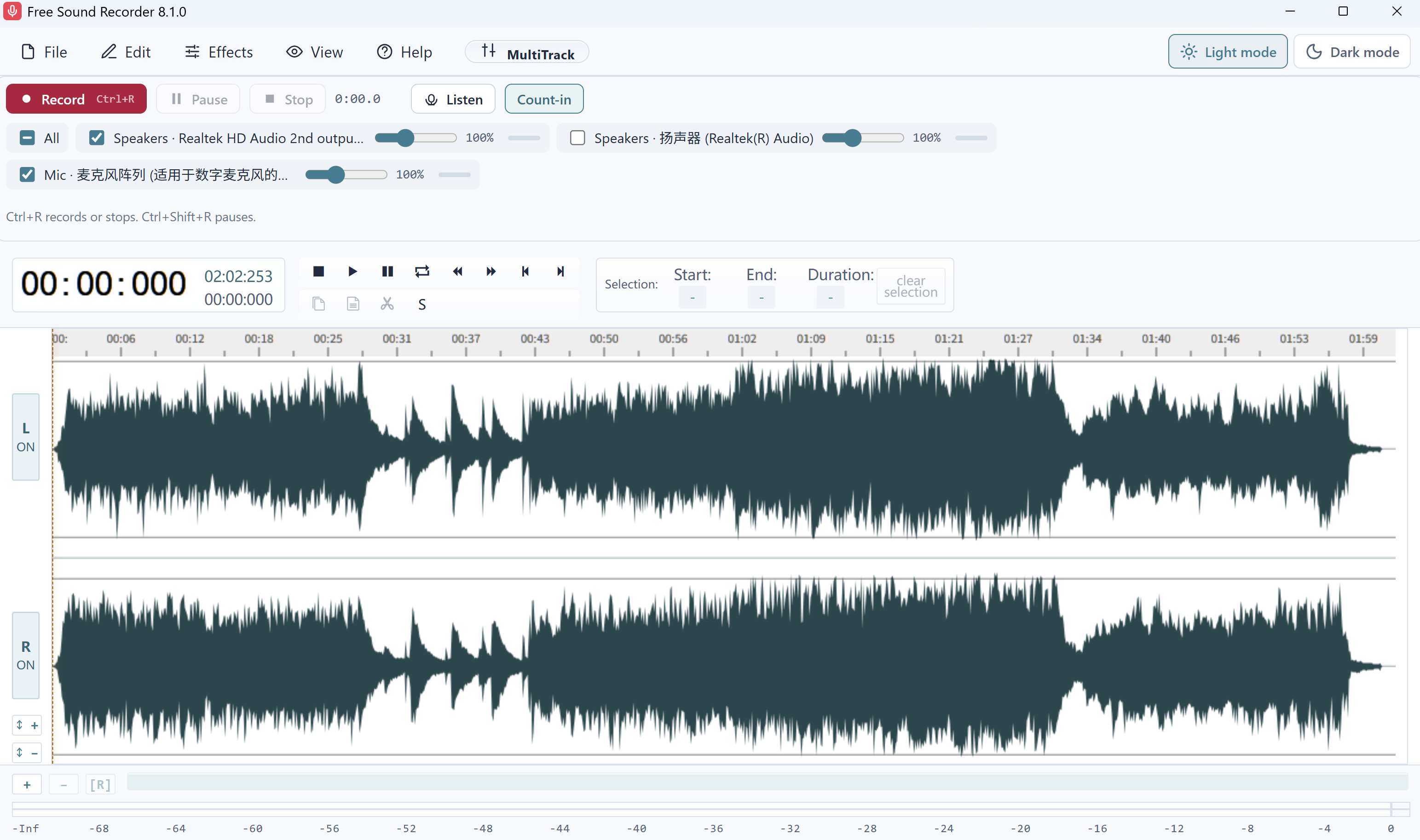
Free Sound Recorder · Recording controls · Built-in audio sample loaded
YOUR NEXT STEP
Get Started For Free
Download the full application for your Windows PC.
Free Sound Recorder
Free softwareVersion 8.1.0 · 58.0 MB · Windows 11/10 · 64-bit
Download Free100% free · No paid registration
- Digitally signed installer
- Free supported features and exports
System Requirements & Download Details
64-bit Windows 10 version 2004 or later, or Windows 11. The installer checks required runtime components. Microsoft Edge WebView2 Runtime is required.
No paid product registration is needed.
Setup includes an optional third-party software offer. You can decline it and still install this application.
FreeSoundRecorder.exe · 60,797,992 bytes
GOOD TO KNOW
Your Questions, Answered
Is recording and export free?
Yes. Recording and supported audio exports are free in Free Sound Recorder.
Can I record my microphone and PC at once?
Yes. Select both sources and check their levels before starting. Headphones can help prevent playback from feeding back into the microphone.
Why is a recording silent?
Check the selected input, the Windows device level and whether the sound is playing through the device you selected. Make a short test recording before a long session.
FREE SOFTWARE
Your Next Great Sound Starts Here
Get the free Windows app and start your next project.
Download Free100% free · No paid registration
Windows 11/10 · 64-bit