Cool iPhone Ringtone Maker · 8.1.0
Make Your Own Ringtone Clips
Turn the best part of a song into a short audio clip, add smooth fades and listen before saving, all for free.
- Keep your favorite song section
- Set precise start and end
- Add smooth fades to clips
- Listen before saving your clip
100% free · No paid registration
Windows 11/10 · 64-bit · 42.4 MB
FROM IDEA TO FINISHED FILE
Make It Yours In Three Steps
1. Open Your Audio
Choose a file you own or can use.
2. Keep Your Favorite Part
Select a short clip and add fades.
3. Export And Transfer
Save it for your iPhone transfer workflow.
A CLOSER LOOK
Good Audio, From Start To Finish
Find The Right Moment
Use the waveform and playback controls to choose the start and finish of your clip.
Give It A Smooth Ending
Add a fade so your short audio clip starts and ends naturally.
Save Without Registration
The ringtone editor is the free edition: its supported audio export formats do not require a paid key.
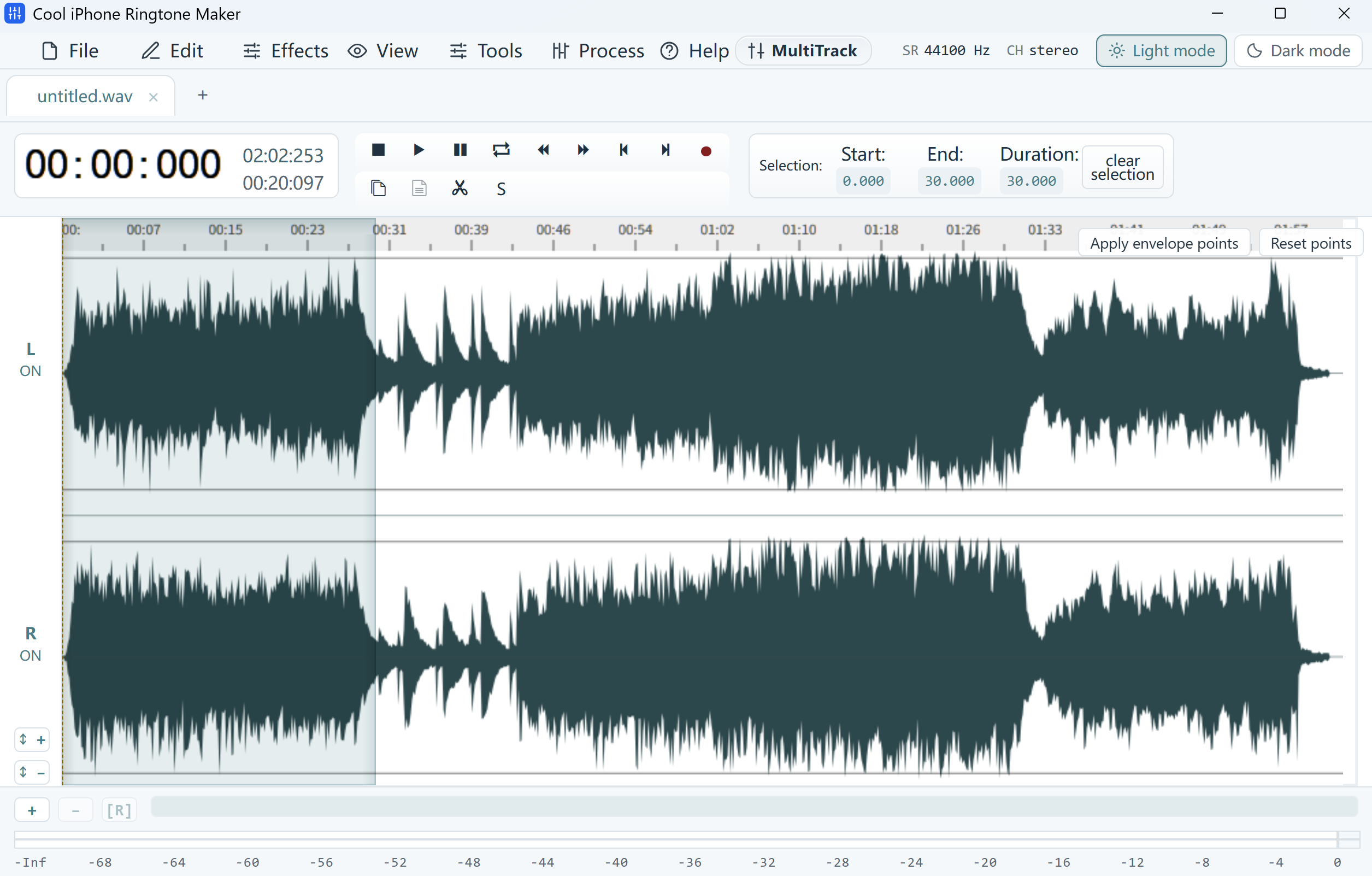
Cool iPhone Ringtone Maker · Audio clip editing workspace · 30-second selection
YOUR NEXT STEP
Get Started For Free
Download the full application for your Windows PC.
Cool iPhone Ringtone Maker
Free softwareVersion 8.1.0 · 42.4 MB · Windows 11/10 · 64-bit
Download Free100% free · No paid registration
- Digitally signed installer
- Free supported features and exports
System Requirements & Download Details
64-bit Windows 10 version 2004 or later, or Windows 11. The installer checks required runtime components. Microsoft Edge WebView2 Runtime is required.
No paid product registration is needed.
Setup includes an optional third-party software offer. You can decline it and still install this application.
CooliPhoneRingtoneMaker.exe · 44,466,472 bytes
GOOD TO KNOW
Your Questions, Answered
Is this an iPhone app?
No. It runs on Windows and helps you prepare audio. Transferring a ringtone to an iPhone is a separate step using a compatible Apple or ringtone workflow.
Is it free to export?
Yes. All audio export formats supported by this free edition are available without paid registration.
Does saving an audio file set my iPhone ringtone?
No. Your transfer workflow must accept the format and duration you export. Follow that workflow to install and select the tone on your phone.
FREE SOFTWARE
Your Next Great Sound Starts Here
Get the free Windows app and start your next project.
Download Free100% free · No paid registration
Windows 11/10 · 64-bit